


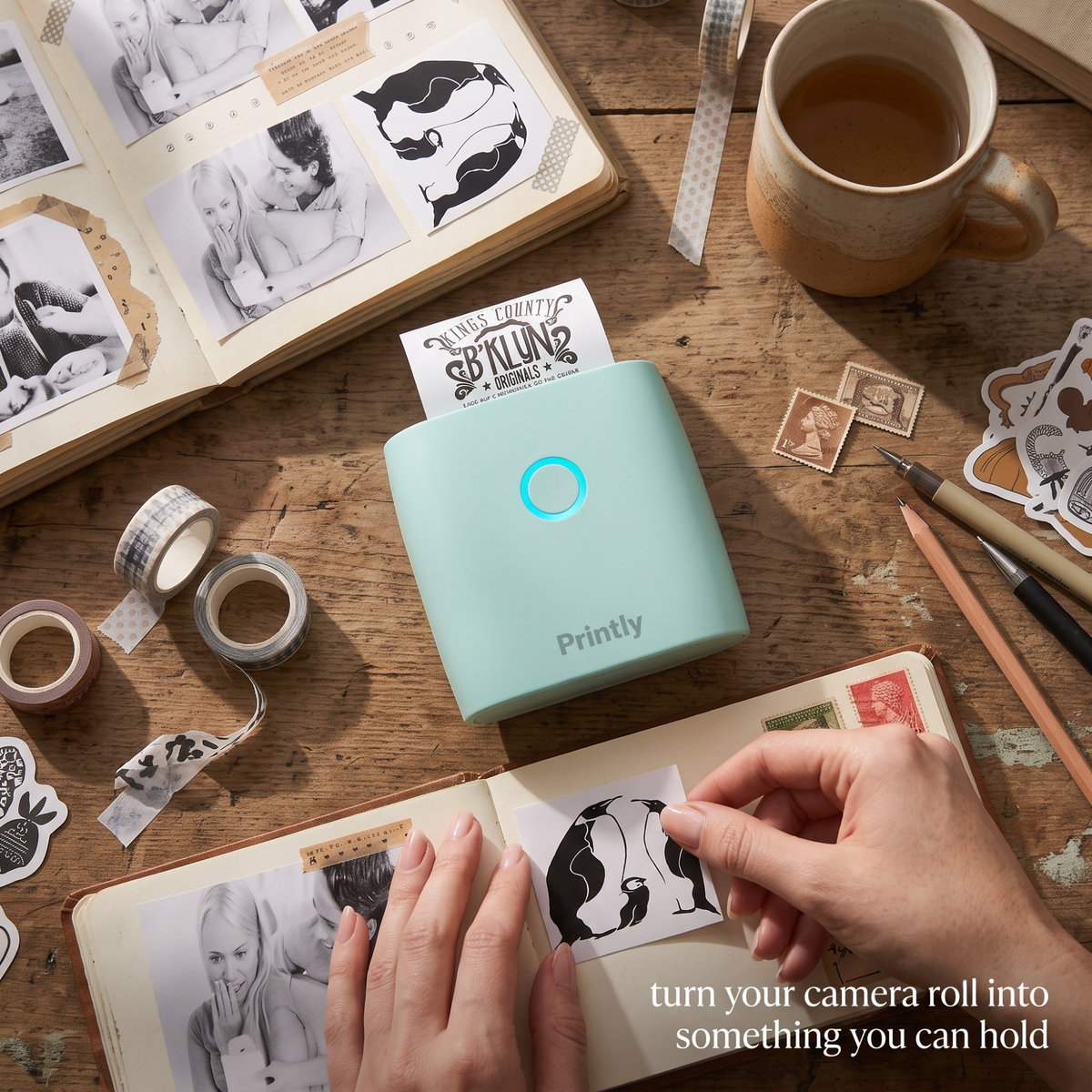
No ink. No cost per print. Ever.
Turn any photo in your camera roll into a peel-and-stick sticker in seconds. No cartridges, no per-print fees, no batching. Just your phone, Bluetooth, and the Printly Mini Printer.
- Print any photo as a peel-and-stick sticker, instantly
- Thermal heat, no ink cartridges needed — ever
- 5 rolls of sticker paper included in the box
- Bluetooth wireless, all-day battery, fits in your palm
90-day satisfaction guarantee — love it or return it
Why your last one sat in a drawer
Color mini printers like the Sprocket and Canon Ivy are genuinely good products. The catch is the paper. Proprietary photo packs cost $0.40 to $0.50 per print, which means every time you want to add one photo to your journal, you are making a small financial decision. That friction is why most people end up using theirs five times and quietly returning to Walgreens batches or leaving the camera roll alone.
The Printly Mini Printer works differently. It uses thermal heat to print directly onto the sticker paper, with no ink cartridge, no refill pack, and no cost attached to pressing print. The difference is not the output — it's that there is no reason not to print the photo right now.
Choose. Tap print. Peel and go.
From your camera roll to a peel-and-stick photo in your hand — in about ten seconds.
Choose
Open the free app and tap any photo from your camera roll. You can also take a fresh photo on the spot, add text, or choose from hundreds of built-in templates.
Tap print
The app connects to Printly via Bluetooth in seconds. Hit print and the thermal head reads heat, not ink, so there's nothing to warm up and nothing to refill.
Peel and go
Your photo prints in seconds with a perforated adhesive back. Peel it off, stick it in your journal, on a wall, in a notebook, on a folder — anywhere.
What 1,800 journals look like now
"I had a Sprocket for two years and used it maybe five times. This one I've already burned through my first roll in a week. The no-per-print thing genuinely changes how I think about it."
Sarah M., Chicago
"Setup took my daughter about ninety seconds. She's twelve. The app connects instantly via Bluetooth and the prints come out way sharper than I expected at this price."
Jenna T., Austin TX
"I stick photos in my journal the same day I take them now. That camera roll backlog of two years is finally getting cleared. The black and white actually looks really good — almost artistic."
Lauren K., Portland OR
"Got this as a stocking stuffer and now the whole family fights over it. Prints in seconds, works with Android and iPhone, and the stickers actually stick properly without falling off."
Mia R., Nashville TN
Print costs nothing. The paper costs pennies.
Thermal printing works the same way a receipt does: heat activates the coating on the paper and creates the image. No ink goes in, so no ink ever runs out. The printer stays on your desk and never has a moment where it needs something from you before it will work. You press print. It prints. That's the whole story.
Photos, text, diagrams, film strips.
The app prints anything: photos from your camera roll, typed text messages, hand-drawn sketches scanned with your camera, study diagrams, coloring pages, film strips, and hundreds of app templates. If it's on your phone, Printly can turn it into a sticker. Most people discover at least one use case they didn't expect within the first hour.
It fits in your palm. Runs all day.
Printly has an all-day battery and connects wirelessly, so it goes wherever you do. Print at your desk, at a coffee shop, at a friend's place, at a slumber party. The point is printing the photo the same day you take it, not adding it to a batch you'll get around to someday. Turn your camera roll into something you can hold.
5 rolls of sticker paper, ready to go.
The box includes 5 rolls so you can start printing the day it arrives. Sticky paper gives you peel-and-place stickers that hold on journals, walls, folders, notebooks, and phone cases. Switch to plain paper for printed notes, labels, diagrams, and lists. Both work in the same printer with no settings change needed.
Why Printly works when others didn't
Every complaint in the mini-printer category traces back to one of these five things. Printly was built specifically around them.
No proprietary paper system
Standard thermal sticker rolls work with Printly, including rolls from other brands. You are never locked into a single supplier or a branded refill pack.
Zero cost per print
Thermal heat replaces ink entirely. There is no per-print fee, no cartridge to replace, and no moment where you hesitate before pressing print.
Bluetooth in seconds, not minutes
Pairs with iOS and Android via Bluetooth the first time you open the free app. No Wi-Fi setup, no driver installation, no pairing code to hunt for.
Prints photos, text, and graphics
Most mini photo printers print one thing. Printly prints anything on your phone — photos, hand-typed notes, diagrams, film strips, and app templates.
5 rolls in the box, no extras needed to start
Every Printly ships with 5 rolls of sticker paper. Most users get through the first roll before they even think about ordering refills.
Film strip format included
The app can print multiple photos in a vertical film strip layout, which is a favourite for journaling and scrapbooking spreads. No extra hardware needed.
How it compares
| What you care about | Printly Mini Printer | Other mini printers (Sprocket, Ivy, Kodak Step) |
Printing at the store (Walgreens, Walmart) |
|---|---|---|---|
| No cost per print | $0.40–0.50 each | $0.10–0.50 each | |
| Print right now, from home | Have to go in person | ||
| No proprietary paper required | |||
| Prints photos AND text AND diagrams | Photo only | Requires a full printer | |
| Peel-and-stick adhesive back | Some models only | ||
| All-day wireless battery | Varies by model | ||
| Price to get started | $19.99 | $60–$100+ | Free (pay per batch) |
Everything in the box
What you get with Printly
One-time purchase
$19.99
No subscriptions. No ink to buy. Ships in 1 to 2 days.
90-day guarantee. If you don't love it, return it for a full refund.
Questions you probably have
I had a Sprocket and barely used it. Will Printly actually be different?
Most people who had a Sprocket or Canon Ivy stopped using it because of the paper cost. At $0.40 to $0.50 per print, every photo feels like a small purchase decision. That friction adds up until printing stops feeling worthwhile and the device lives in a drawer.
Printly uses thermal heat instead of ink, so the only cost is the paper roll — which is cents per print, not dollars. There is no moment where you calculate whether this one photo is worth it. You just print it.
Will the prints fade over time?
Yes, thermal prints fade in heat and direct sunlight over time — this is true of all thermal printers, not just Printly. Inside a journal or notebook away from direct light, prints remain clear and readable for a long time. We do not recommend using these as permanent archival prints for irreplaceable photos.
Most Printly customers use it the way you use a Polaroid: for the joy of having a physical print right now, in your journal, on your wall, or on a folder — not as a long-term photo archive. For that use case, the prints are excellent.
Is the print quality good enough for journal spreads?
Printly produces sharp, high-contrast black-and-white prints. Photos with clear subjects, good lighting, and strong contrast print beautifully. Very detailed photos with lots of fine texture (like a crowd scene at night) will look softer.
For journal use — portraits, everyday moments, pets, landscapes, travel photos — the output is consistently clean. Text and graphic prints (labels, diagrams, film strips) come out especially crisp.
Can I use non-brand paper rolls?
Yes. Printly works with standard thermal sticker rolls, which are widely available. Unlike the Sprocket or Canon Ivy, you are not locked into a proprietary paper system. The box includes 5 rolls to get you started, and refills are available from Printly or through any compatible thermal paper supplier.
How do I connect it to my phone?
Download the free Printly app (iOS or Android), power on the printer, and open the app. It finds the printer via Bluetooth and pairs within a few seconds. No Wi-Fi setup, no codes to enter. Most people have it printing within two minutes of unboxing.
Does it only print in black and white?
Yes, thermal printing is black and white. Many people find the monochrome output gives their journal spreads a distinctive, almost Polaroid-like aesthetic. If you need color prints, a Zink-based printer (like the HP Sprocket) is the right tool — but at a higher per-print cost.
For journaling, scrapbooking, notes, and everyday sticker use, the black-and-white output is more than enough for the vast majority of customers.
What does it come with in the box?
The Printly Mini Printer ships with: the printer itself, 5 rolls of sticker paper (so you can start printing immediately), a USB charging cable, and a quick-start guide. The app is free to download separately on iOS and Android.
Is the paper expensive to refill?
Thermal sticker rolls cost significantly less per print than Zink or inkjet paper. You can buy refills from Printly or from any compatible thermal paper supplier. Because you are not locked into a single brand's paper system, you have real flexibility on cost.
What is your return policy?
We offer a 90-day satisfaction guarantee. If you are not happy with Printly for any reason within 90 days of receiving your order, contact us and we will arrange a full refund. No complicated hoops.
How long does shipping take?
Orders are processed within 1 to 2 business days and delivered within 5 to 10 days after processing. You will receive a tracking email as soon as your order ships.
From journals everywhere
"I can't stop. Genuinely take it away from me."
Rachel D.
"First week in: burned through an entire roll. These stickers actually hold on everything."
Priya S.
"Got it for my daughter, then ended up keeping it for myself. Journal game completely changed."
Kelly H.
"Used it for my nursing notes — printed anatomy diagrams directly into my spiral notebook. Brilliant."
Amara L.
"The film strip feature alone was worth it. My scrapbook looks completely different now."
Zoe C.
"Perfect white elephant gift. Three people in my office have ordered one since I brought mine in."
Marcus T.
"Printed a photo from our trip the same night. Stuck it in my journal before I even wrote about it."
Isabel M.
"At $20 I expected it to feel cheap. It doesn't. Solid, portable, and I've used it every single day this week."
Nina P.
Turn your camera roll into something you can hold
No ink. No per-print fees. No batching. Just your phone, Bluetooth, and a peel-and-stick photo in seconds. That camera roll backlog ends today.
Ships in 1 to 2 days. 90-day guarantee.